Setting up a KSeF certificate in Quento is now simpler.
Download the certificate in the KSeF Taxpayer Application, upload the generated files to Quento, and save your company settings. There is nothing to combine or convert.
Why it is worth doing now
If Quento connects to KSeF with a token, prepare to replace it with a certificate. According to the current information from the Polish Ministry of Finance, tokens are scheduled to work until December 31, 2026, with KSeF certificates remaining as the authentication method from January 1, 2027.
Uploading your certificate now helps you avoid an interruption in invoice delivery when token support ends. Your existing token can keep working until it is retired, so you can make the switch early and without a last-minute rush.
The Ministry is consulting a proposal to keep tokens available after that date, but it has not yet become the rule. For now, preparing a certificate according to the current schedule is the safest approach.
First, generate the certificate in KSeF
In the KSeF Taxpayer Application, open Certificates → Apply for a certificate. Then:
- Give the certificate a name that will help you recognize it later.
- Set a password that meets the requirements shown on screen and enter it again. Keep it safe — you will need it when uploading the certificate to Quento.
- Select Generate, then download the files prepared by KSeF.
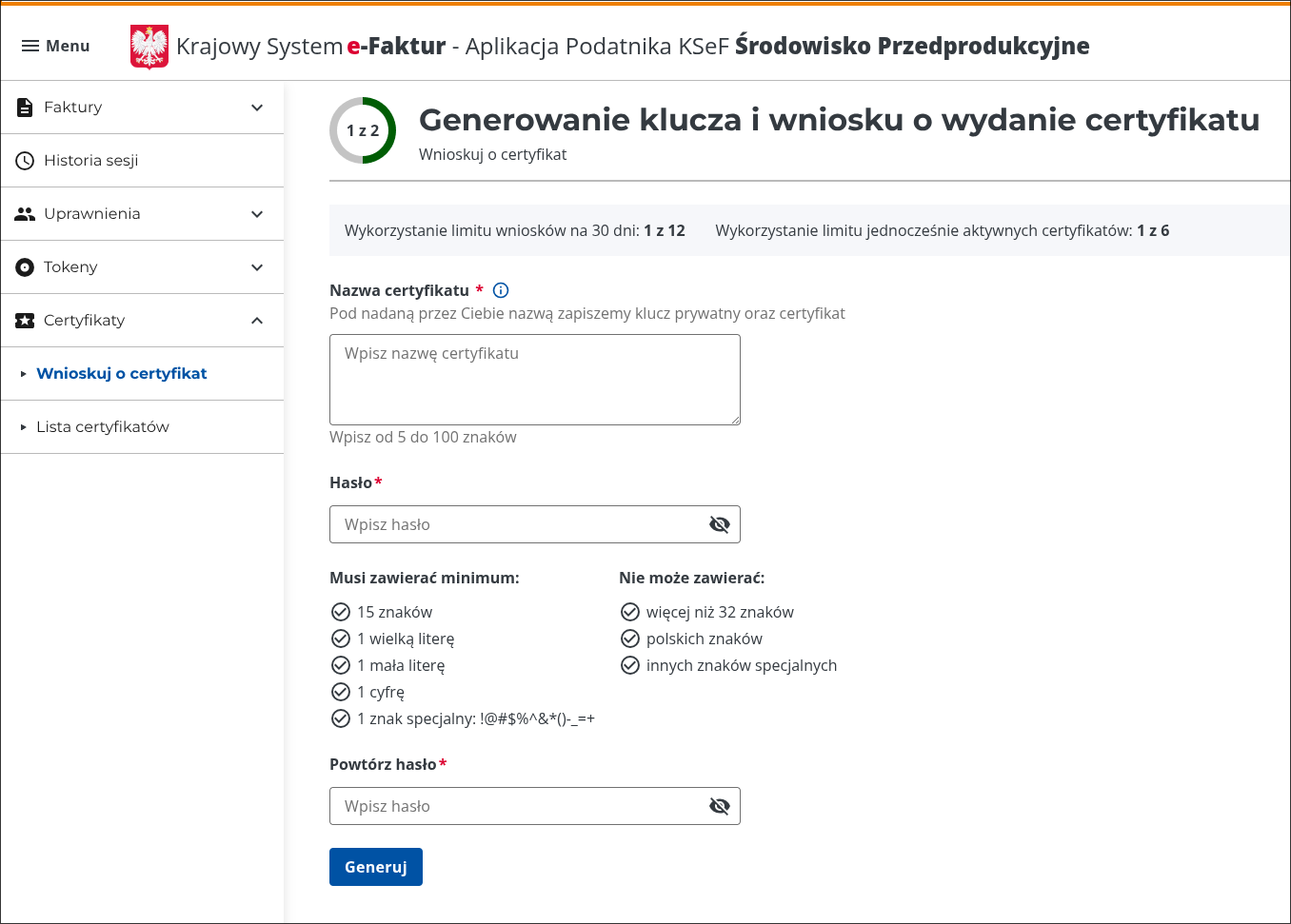
The screenshot shows KSeF's pre-production environment. For a real company, follow the same steps in the production environment.
Then upload the certificate to Quento
- In Quento, open Companies → your company → Edit → KSeF Configuration.
- Add the certificate and private key in their respective fields.
- Enter the password you set in KSeF and save the company.
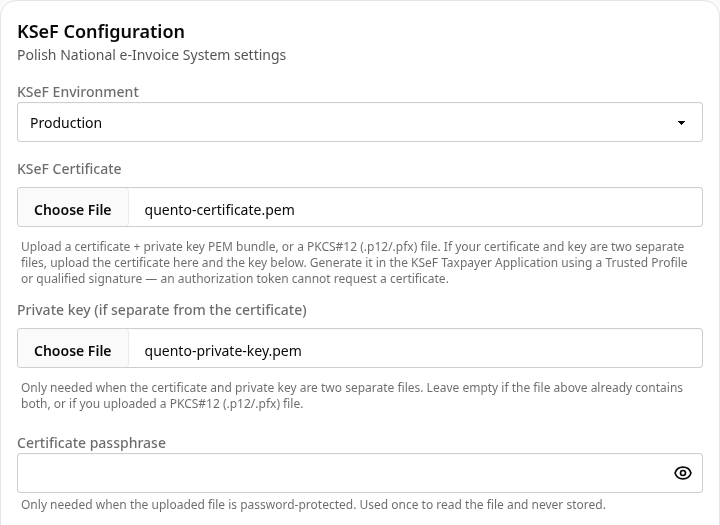
Quento checks the certificate automatically and stores it securely in encrypted form. From then on, it uses the certificate to authenticate with KSeF.
Personal certificates are supported too
You can also upload an authentication certificate issued to an individual. Quento accepts the certificate, while KSeF checks whether its owner has permission to act for the company.
If the certificate names a different company's NIP, Quento stops the setup and lets you know about the mismatch.
You're ready
Once you save the settings, Quento handles authentication automatically. You can get back to your invoices without any further setup.
Need a hand? Use the feedback button in Quento or email us at support@quento.app. We're happy to help.
— The Quento Team