You can now create correction invoices directly in Quento. If you need to fix a previously issued invoice, Quento creates a new correction invoice linked to the original one.
See It in Action

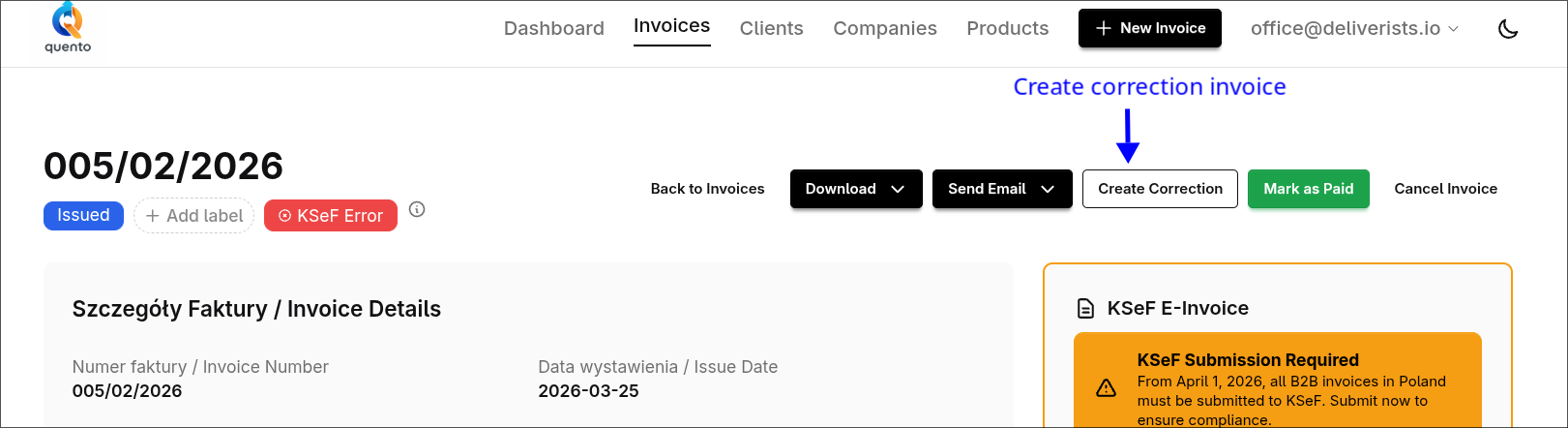
Use the arrows to view both screenshots.
How It Works
- Open the original invoice
- Click Create Correction
- Enter the reason for correction
- Review and issue the new correction invoice
Quento automatically keeps the connection to the original invoice, shows the correction clearly in the UI and PDF, and uses today's issue date for the new correction document.
What You Get
- A proper correction invoice linked to the source invoice
- Clear correction reason and original invoice reference
- Visible correction badges in invoice lists and details
- PDF support for correction invoices
- Full KSeF compatibility for Polish correction invoices
Ready to Try It?
Open any issued, paid, or overdue invoice and click Create Correction.
Questions or feedback? Email us at support@quento.app.
— The Quento Team