Some invoices need more than the main client name.
The buyer may be the company, but the invoice should also point to a department, branch, office, or other recipient. Quento now supports that with a new Entity / Recipient section.
You can keep the invoice simple when the client is enough, or add an entity when the recipient details matter.
How It Works
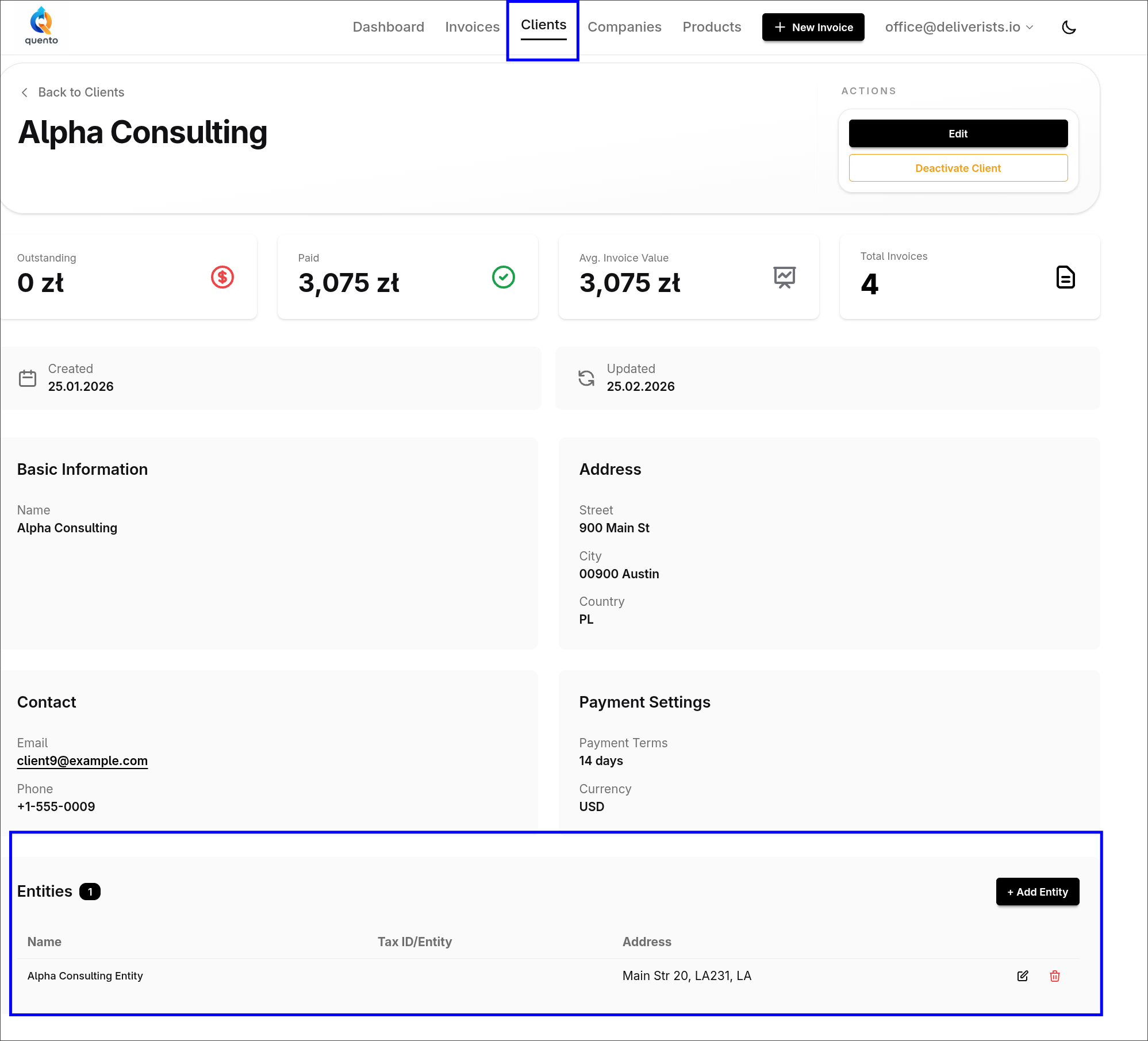
You can manage entities from the client page, where they stay attached to the client for future invoices.
You can also add or select an entity while creating or editing an invoice, so you do not need to leave your work.
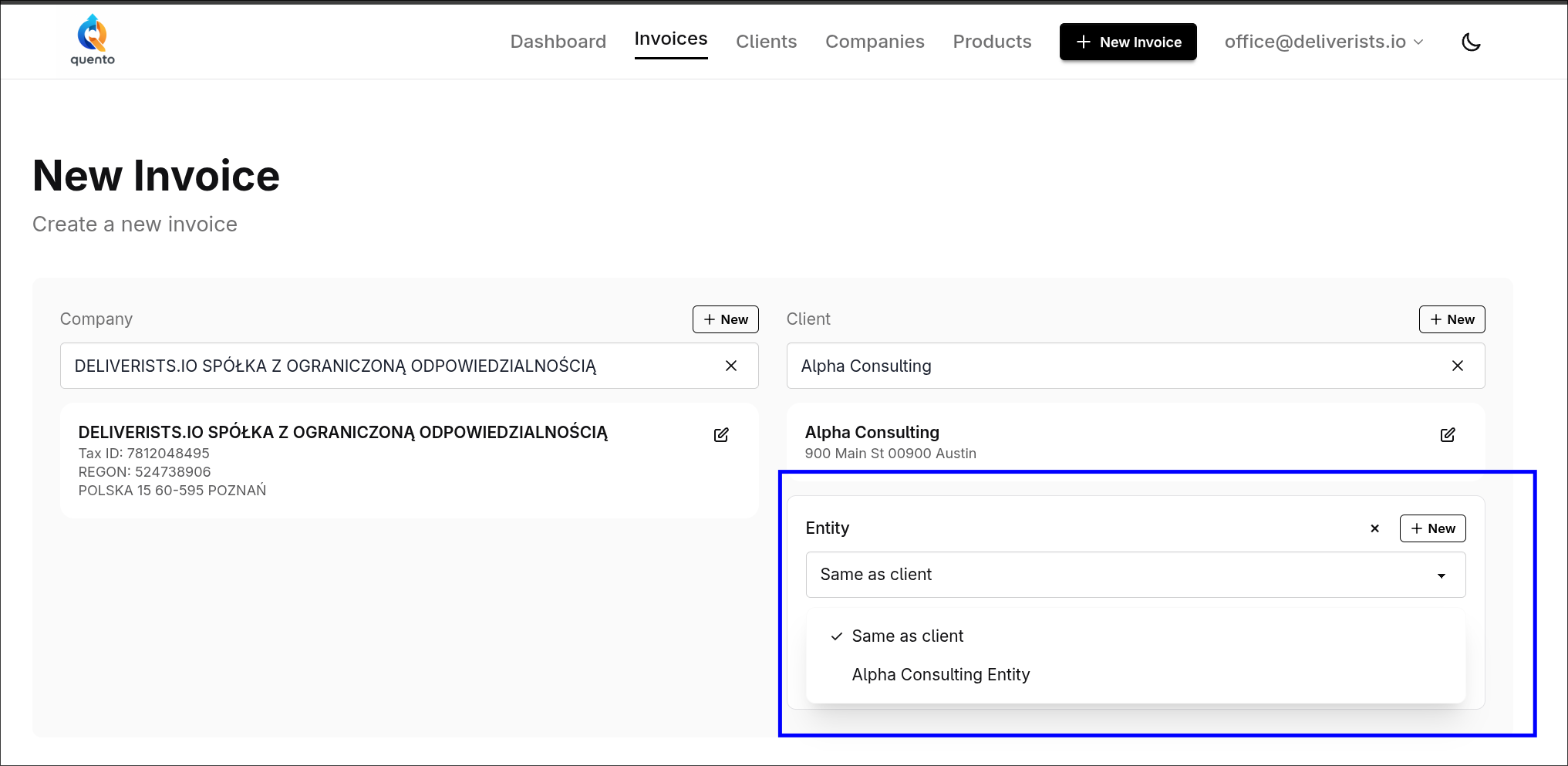
On the invoice you choose what fits the situation:
- Same as client - use the client details as the recipient
- Existing entity - pick a saved department, branch, or office
- New entity - create one directly from the invoice form
If no extra recipient is needed, the section stays out of the way.
What Appears on the Invoice
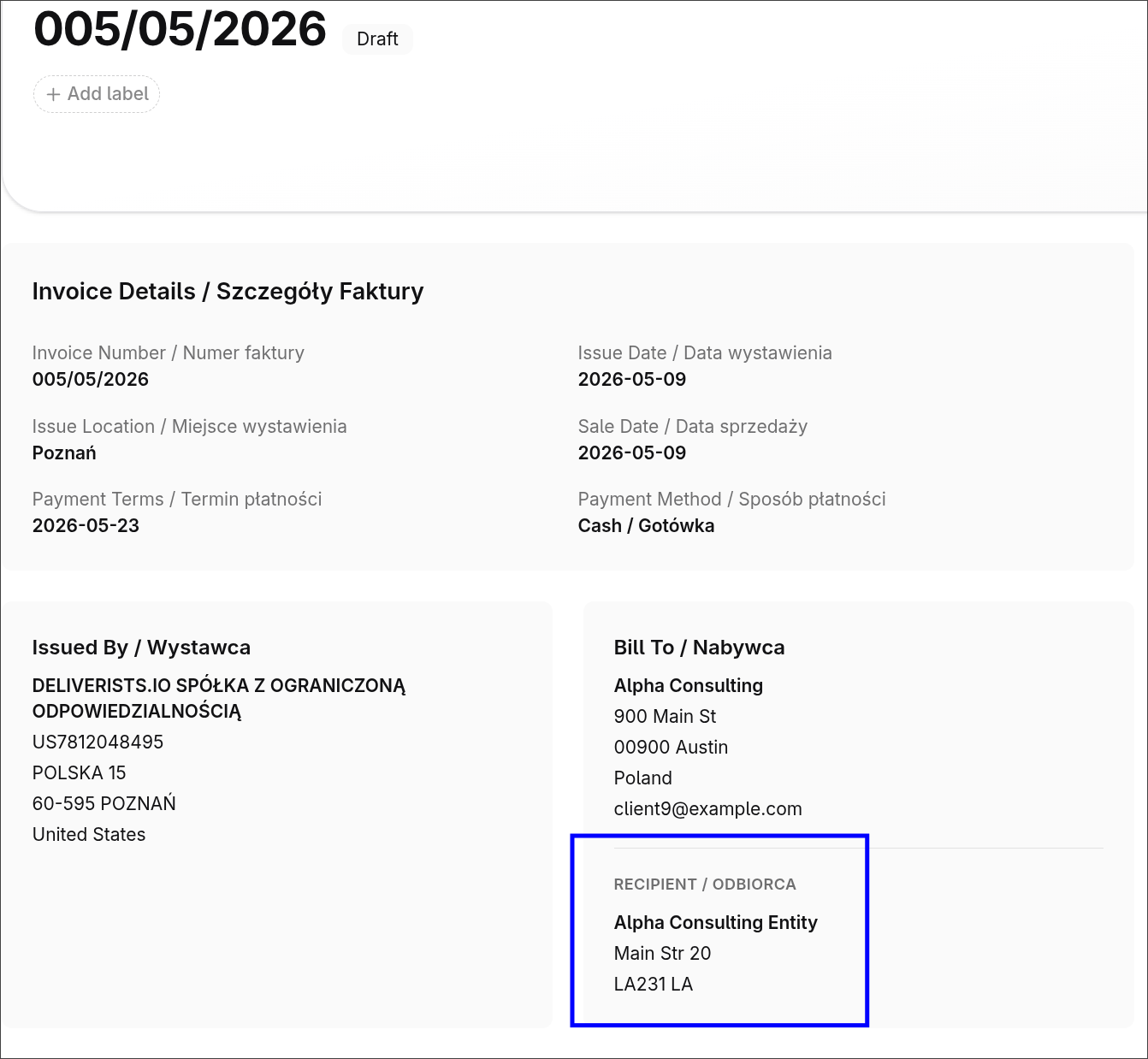
Quento shows the selected recipient details on the invoice page and in the PDF, so you can review them before sending or exporting.
Why It Helps
This is useful when one client has many billing places or when the recipient is not exactly the same as the buyer.
You enter the details once, reuse them later, and still keep each invoice clear.
Start Using It
Open a client to add entities, or create an invoice and choose the right recipient there.
— The Quento Team